


Invoice Maker by Invoice Home
4.1545.00 Reviews
App Specs
- Version
- 5.9.4
- Updated On
- License
- Free
- Downloads
- 1,000,000+
- Developer
- Invoice Home Inc.
- Categories
- Business
- Platform
- Android, iOS
Screenshots
 Analysis by AppCompare
Creating an invoice can be a surprisingly repetitive interruption: find the right details, make the document look presentable, export it, and get it to the client. I find Invoice Maker by Invoice Home most useful when that small task needs to be handled promptly, without turning into a longer session at a computer. It is a free business app from Invoice Home Inc., and its focus is practical: putting together professional-looking PDF invoices from a phone.
That focus makes it a natural fit for freelancers, independent tradespeople, and small operators who invoice clients directly. It is less compelling if you need a full accounting system with extensive bookkeeping, inventory, or payroll. I would judge it by whether it reduces the effort of preparing and sending a clear bill, not by whether it replaces every tool used to run a business.
Where a quick invoice can save a workday
A useful example is a photographer finishing a small job while still away from the studio. Rather than waiting until the end of the week to recreate the details at a desk, they can prepare an invoice while the client and work are fresh in mind. The time saved is not just typing: sending the document promptly can also prevent a finished job from lingering in a mental to-do list.
That kind of convenience matters most when invoices are straightforward and client work is the main priority. A consultant billing for a completed session, or a repair professional charging for a simple visit, may need a polished document more often than they need financial dashboards. For those cases, I value the short path from details to a PDF more than a large collection of business tools.
A sensible first workflow
On a first pass, I would prepare the information that needs to appear consistently, such as business details and a recognizable visual identity, before making the first client invoice. That small bit of care helps avoid re-entering the same information under time pressure. I would also check the finished document before sending it: a template can make an invoice look tidy, but the client name, amounts, and terms still need a human review.
Invoice Maker is listed as free, with in-app purchases ranging from $6.99 to $9.00 per item. I would treat that as a reason to check which parts of my own workflow need paid access before relying on them, rather than assuming every option is included at no cost. If the basic process covers occasional invoices, there may be no reason to pay; if a particular paid feature is essential, it is worth weighing that expense against the time it saves.
Who benefits most, and who may prefer another tool
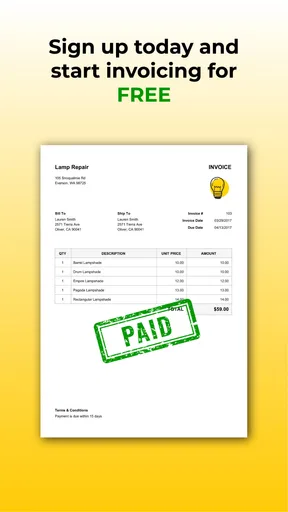
The app is best suited to someone who needs to create and share invoices without building a complicated accounting setup around them. Its store summary describes PDF invoice templates, and that format is useful when a client needs a document they can open and keep. I would consider it for a solo business or a small service operation where invoices are an important admin task but not the whole financial workflow.
Worth Reading Before You Choose

EA SPORTS FC Mobile 26 Is a Bigger Football Game, but It Takes Time

Flipboard Shows What News Apps Must Do Beyond the Feed

Switching to Android Auto Means Rethinking Your Driving Routine

Google Calendar Makes a Crowded Week Easier to Manage

Ludo King Makes the Most of the Minutes Between Plans

Baby Panda World Brings Quick Play to Modern Phones, but Its Game Library Feels Busy
By contrast, a business that needs invoicing tightly connected to bookkeeping, expense reconciliation, stock tracking, or tax preparation may be better served by dedicated accounting software. A spreadsheet can also be enough for a person who sends only a few bills and already has a reliable document template. The trade-off is that a spreadsheet usually leaves more formatting and checking to the user, while a focused invoice maker is intended to make the document-creation step less fiddly.
First Impressions and Setup
When I first downloaded Invoice Maker by Invoice Home, I was struck by its clean and intuitive interface. Setting it up was a breeze, which is a huge plus in my book. You just pop in your details, customize the settings a bit, and you’re ready to roll. No need to muddle through complicated instructions or watch lengthy tutorials.
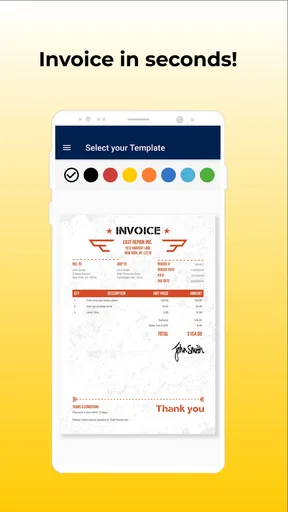
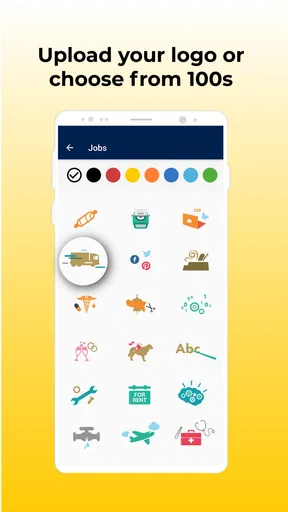
One of the first things I noticed was the variety of templates available. There are over 100 to choose from, which means you can find something that fits your business’s vibe perfectly. Whether you’re going for sleek and professional or something a bit more creative, they’ve got you covered.
Features that Stand Out
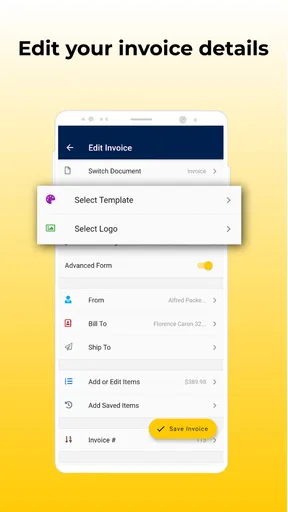
Now, onto the features. The app lets you create invoices in just a few taps. You can add your company logo, choose a template, and input the necessary details. It even supports multiple languages and currencies, which is super handy if you’re dealing with international clients.
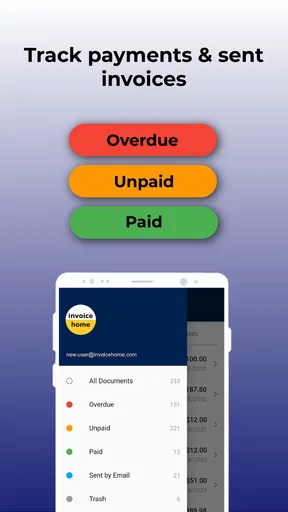
Another feature that really caught my eye is the ability to track payments. The app allows you to mark invoices as paid, pending, or overdue, helping you keep an eye on your cash flow. Plus, it sends out automatic reminders to clients, so you don’t have to chase them down yourself. This feature alone can save a ton of time and hassle.
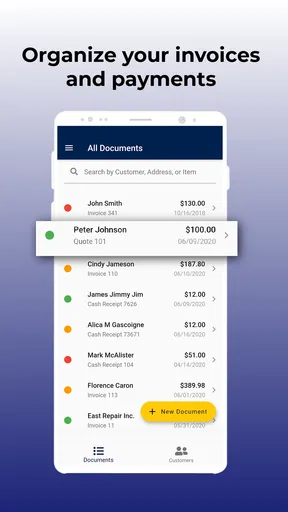
For those of you who love a bit of organization, the app provides detailed reports on your invoices and payments. You can quickly see which invoices are outstanding and which clients are bringing in the most revenue. It’s all about making your life easier, right?
Experience and Usability
Using Invoice Maker by Invoice Home has been pretty smooth sailing overall. The app runs efficiently without any noticeable lag. I found the navigation to be straightforward, which is crucial when you’re dealing with financial documents.
One of the things I appreciate is the cloud backup feature. It ensures that your data is safe, and you can access your invoices from any device. This is perfect for those times when you’re on the go and need to check or send an invoice from your phone or tablet.
I did find that some of the more advanced features require a subscription, but honestly, the basic offerings are robust enough for most small to medium-sized businesses. However, if you’re someone who needs those extra bells and whistles, it might be worth considering the premium version.
Friction removed, with a few details to manage
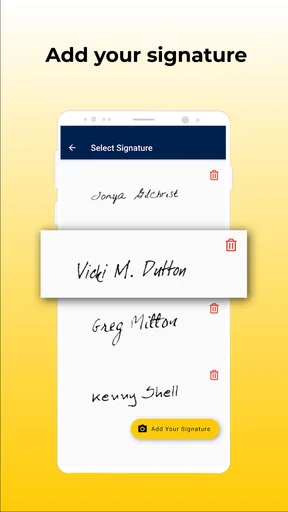
The main practical gain is having a repeatable way to make a client-facing document instead of starting from a blank page every time. A template can reduce layout decisions, while saved business details and a logo help keep later invoices consistent. My tip is to settle on one design that is easy to read and stick with it; frequent redesigns add polish only if they do not slow down the work or make documents harder for clients to recognize.
Payment status tracking is most useful when it becomes part of a small routine. I would update an invoice as soon as a payment arrives, then use the outstanding list as a prompt for a quick follow-up review. That is more reliable than trying to remember which client said they would pay later. Automatic reminders can reduce chasing, but I would still check their timing and wording against the relationship and the agreed payment terms before depending on them.
Reports can help answer straightforward questions such as which invoices remain open or which clients account for more revenue. I would use them as a quick overview, not as a substitute for formal bookkeeping or tax records. A report is only as useful as the information entered, so consistent client names and prompt status updates matter more than the screen itself. This is a small habit that can make the app more useful without adding much admin.
The language and currency options are a practical advantage for people who bill across borders, but they do not remove the need to check the details of an international invoice. Before sending one, I would verify that the selected currency matches the agreement and that the client-facing text is clear. These settings help with presentation; they should not be mistaken for advice about local tax rules or a guarantee that every business requirement is covered.
What to expect from a focused invoicing app
Compared with writing invoices in a word processor, a dedicated maker can make repeated documents less tedious because the task is organized around invoices rather than general page layout. Compared with a full accounting platform, it is narrower by design. That difference is a strength if the job is simply to prepare, send, and keep track of invoices, but a limitation if you want one place to manage the wider financial picture.
For a one-person service business, I would start by testing a complete ordinary cycle: create a sample invoice, inspect the PDF, send it through the method available in the app, and then see whether the payment-status workflow matches how you actually follow up. This reveals more than browsing templates alone. It also lets you decide early whether the app’s basic offering is enough before committing to paid options.
Invoice Maker is rated for Everyone and has an average rating of 4.2 from around 7,100 ratings, with more than 500 written reviews. It has passed one million installs, has been available since April 10, 2017, and its current version is 5.8.5; it requires Android 7.0 or later. Those figures suggest it is an established option, but they do not tell me whether its workflow suits a particular business. I would still judge it by how well the invoice and payment steps fit my own routine.
Final Thoughts
All in all, Invoice Maker by Invoice Home is a fantastic tool for anyone looking to simplify their invoicing process. Its user-friendly design, comprehensive features, and versatility make it a worthy addition to your business toolkit.
If you’re tired of wrestling with clunky invoicing systems or spending too much time on paperwork, give this app a whirl. It might just change the way you handle your business finances for the better.
So, what are you waiting for? Check out the download link and see for yourself. You might find that invoicing doesn’t have to be a chore after all.
My recommendation is to try it when your biggest bottleneck is producing a clean invoice quickly, especially if you work on the move or send similar bills repeatedly. I would skip it if you need accounting controls beyond invoice tracking, or if your current spreadsheet already handles your low volume without friction. The useful question is not whether it has every business feature, but whether it saves enough small decisions to make sending the next invoice easier.
Pros
- User-friendly interface for quick setup.
- Wide variety of invoice templates available.
- Supports multiple currencies for global use.
- Includes automatic backup to cloud storage.
- Offers secure data encryption features.
Cons
- Limited customization for invoice templates.
- Free version includes watermarks on invoices.
- In-app ads can be distracting.
- Requires subscription for advanced features.
- Occasional sync issues with cloud storage.
FAQs for Invoice Maker by Invoice Home
What features does Invoice Maker by Invoice Home offer?
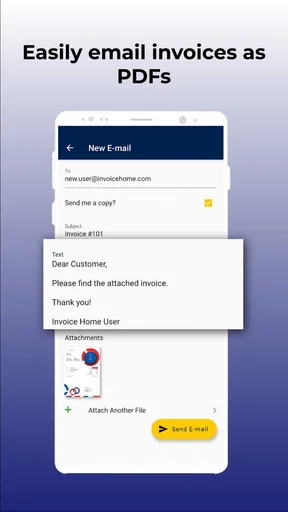
Invoice Maker by Invoice Home provides a variety of features to simplify invoicing for small businesses and freelancers. Users can create professional invoices with customizable templates, manage and track payments, and send invoices directly via email. The app also supports multiple currencies and tax configurations, making it versatile for international transactions.
Is Invoice Maker by Invoice Home secure?
Yes, Invoice Maker by Invoice Home prioritizes user security. The app employs encryption to protect sensitive financial data. Additionally, it ensures secure storage and transmission of all information, providing peace of mind for users concerned about the safety of their financial details. Regular updates also enhance security measures.
Can I use Invoice Maker by Invoice Home offline?
Invoice Maker by Invoice Home requires an internet connection for most functionalities, such as sending invoices and syncing data. However, users can create and edit invoices offline. Once internet access is restored, the app will sync changes and update data, allowing seamless continuity in invoice management.
Does Invoice Maker by Invoice Home integrate with other financial tools?
While Invoice Maker by Invoice Home primarily focuses on providing a comprehensive invoicing solution, it offers limited integrations with other financial tools. Users looking for specific integrations may need to manually export data or explore additional third-party services to achieve full compatibility with their preferred accounting software.
What are the subscription options for Invoice Maker by Invoice Home?
Invoice Maker by Invoice Home offers both free and premium subscription options. The free version includes basic features, while the premium subscription unlocks advanced functionalities such as additional templates, customization options, and priority support. Users can choose a plan based on their business needs and budget considerations.


